SkyBridge Plus · Volume 2
SkyBridge Plus — Vol 2: Operations
BridgeCom commercial DMR hotspot — turnkey appliance
2.1 Operating modes
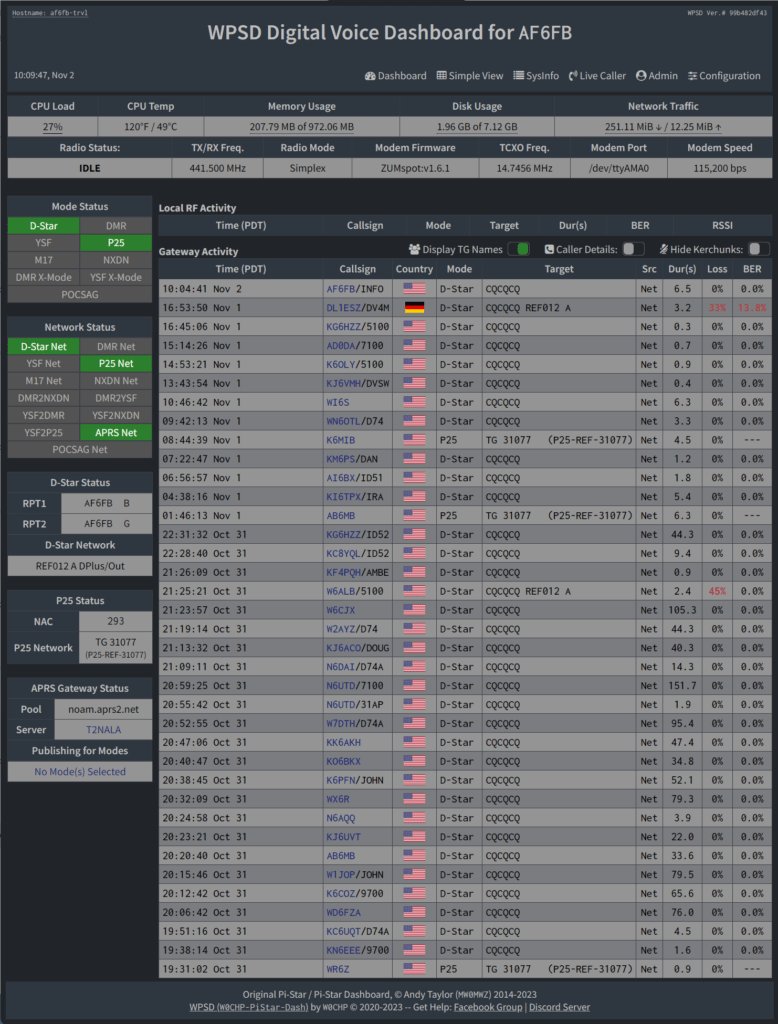
The MMDVM stack on the SkyBridge Plus is the same stack that runs on every Pi-Star and WPSD derivative, so the modal capability list reads identically:
2.1.1 DMR (the primary mode — Tier I and Tier II)
DMR is what this hotspot is bought for. MMDVM modems come in two kinds — single-port boards that operate simplex only (single frequency, TX and RX on the same channel) and dual-port boards that can also run duplex (separate TX and RX frequencies with an offset, the classic repeater split). Which kind is inside this SkyBridge Plus is not yet confirmed (see Vol 1); simplex works on either. For amateur hotspot use the simplex mode is the common configuration: a single 70 cm or 2 m frequency, typically in the local repeater coordinator’s published “low-power simplex / hotspot” allocation, with the radio’s TX and RX on the same frequency at low power. Duplex, where the board supports it, is used when the hotspot is operated as a small repeater (the SkyBridge becomes the time-multiplexed RF point that two amateur radios both link into independently, on a +/- 600 kHz or +/- 5 MHz split). Both Tier I (FDMA simplex DMR between two radios direct, no infrastructure) and Tier II (TDMA repeater-style with two timeslots interleaved on a 12.5 kHz channel) are supported in firmware; the practical operational mode for a personal hotspot is Tier II simplex, where the hotspot acts as the repeater and the radio (the D878) is the only client. See Vol 2 §3 (DMR protocol layer) ↗ for the deep treatment of Tier I vs Tier II and what slots mean at the radio link level.
The hotspot connects out to one of four DMR network families: BrandMeister (the largest, ~140k registered DMR users worldwide as of mid-2026), TGIF Network (smaller and more community-driven, easier and lower-friction hotspot onboarding), W0CHP (the network associated with the WPSD dashboard the SkyBridge software is based on), and the FCS reflector / XLX room ecosystem (a federated bridge of regional reflectors). Selection is per-channel — the WPSD dashboard’s DMR Configuration page lets you pick a primary network and optionally bridge a second network onto the second slot, so a single hotspot can serve BrandMeister talkgroups on slot 1 and TGIF talkgroups on slot 2 simultaneously, or any combination. Vol 2 covers the network-architecture distinctions.
2.1.2 D-STAR, YSF (Yaesu System Fusion), P25, NXDN, M17
The MMDVM stack supports all five of these digital amateur modes in firmware — the MMDVM modem is mode-agnostic, the per-mode protocol decode happens in the daemon on the Pi, and the Gateway daemon for each mode bridges to that mode’s network (D-STAR connects to REF/XRF/XLX reflectors, YSF to YSF reflectors, P25 to P25Reflector / PiStarReflector, NXDN to NXDN reflectors, M17 to the M17 network). Whether the SkyBridge Plus enables each of these by default depends on the BridgeCom factory image — the upstream WPSD makes all of them available out of the box, and BridgeCom’s customisations generally preserve that. Enabling a non-DMR mode is a matter of flipping the corresponding “Modem Type” toggle in the dashboard and configuring the gateway server for that mode. For an operator with the AnyTone D878 (Vol 8) as the only radio, only DMR is practically useful — the D878 doesn’t transmit D-STAR or YSF or P25 — but enabling YSF and pointing the hotspot at YSF reflector “YSF America” for ambient listening is a no-cost feature given the firmware already supports it.
2.1.3 Cross-mode (DMR-to-YSF, DMR-to-D-STAR via DMRGateway)
DMRGateway can bridge DMR talkgroups to YSF rooms or D-STAR reflectors via the cross-mode protocols (DMR2YSF, DMR2NXDN, etc.). This lets a DMR-only radio (the D878) effectively talk on a YSF reflector by keying a DMR talkgroup that DMRGateway has cross-routed to a YSF gateway. The mode is mature on Pi-Star and WPSD, and the dashboard exposes the common cross-mode bridges as configuration options. Useful for talking to a YSF-only contact without owning a Yaesu radio.
2.1.4 Frequencies and band selection
MMDVM hotspot modems are built for amateur 70 cm (430-450 MHz), and some also cover amateur 2 m (144-148 MHz); the band range of the board in this unit is not yet confirmed, so 70 cm is the safe assumption. The common deployment is 70 cm — 433-435 MHz simplex hotspot frequencies are the convention in the US after coordination with the local repeater coordinator. 2 m is supported but the band is more congested and the smaller hotspot antenna is less efficient at 2 m; in practice most US amateur hotspot operators run 70 cm. Frequency selection should be coordinated against the local repeater plan — see Vol 4 for the deep treatment and §4 below for the operational discipline. The 222 MHz (1.25 m) band is not supported by the MMDVM modem; if you want a 1.25 m DMR hotspot you’re shopping in a different product category.
2.2 Network use
2.2.1 Talkgroup choice
The operational question with the highest impact on the on-air experience is which talkgroups the hotspot subscribes to. The deep treatment is in Vol 2 (DMR Network Architecture) — talkgroup numbering, geographic scope, ragchew etiquette per talkgroup, the static-vs-dynamic distinction, the difference between BrandMeister’s and TGIF’s talkgroup numbering spaces. The short version for SkyBridge operation:
- TG 91 (BrandMeister Worldwide English chat) — the global English-language talkgroup. Always traffic; useful for “is my path up at all” verification. Don’t subscribe statically — it generates near-constant audio that drowns out everything else; subscribe dynamically only when you specifically want to listen.
- TG 3100 (BrandMeister USA Nationwide) — US-wide. Moderate traffic; static subscription is reasonable if you want general ambient US chatter.
- TG 31XX (BrandMeister US state talkgroups; 3162 is Michigan, 3148 is Massachusetts, etc.) — geographic state-level. Lower traffic; the right level for monitoring a specific state. Static subscription is the usual choice.
- TG 9990 (BrandMeister Echo Test) — the parrot. Key, talk, key again, the hotspot echoes back. The “is my path up and is my audio quality good” diagnostic.
- TG 5057 (BrandMeister APRS gateway) — the DMR-to-APRS bridge. See Vol 8 §7 (APRS over DMR via TG 5057) ↗.
- TGIF talkgroups are numbered differently and live in their own namespace — see Vol 2 §5 (TGIF) ↗. A common static subscription is TGIF 31 (US Nationwide on the TGIF side) for variety.
The general etiquette principle: don’t permanently link high-traffic talkgroups onto your local hotspot frequency — every transmission on that talkgroup will be transported to your hotspot’s local RF channel, which is fine when you want it and a noise pollutant when you don’t. The SkyBridge defaults that BridgeCom ships are conservative on this front; the dashboard’s talkgroup-static configuration tab is where the always-on set is curated.
2.2.2 Antenna placement and RF posture
The hotspot antenna case is unusual in the broader antenna decision space: you want a low-gain antenna, not a high-gain one. The argument is:
- The hotspot exists to bridge a same-room (or same-house) HT-to-internet link. The intended communication distance is feet, not miles.
- Hotspot TX power is 10-20 mW — orders of magnitude below what a real repeater puts out.
- A high-gain antenna on the hotspot does not extend useful range; it instead radiates the low-power signal more directionally, increases the local-RFI footprint into nearby electronics, and makes the hotspot a more conspicuous spur in the local RF environment.
- If you actually need wide-area DMR coverage, you want a real repeater on a real tower with real power and real coordination — the hotspot is the wrong tool to scale up.
Keep the stock whip on the hotspot. Place the hotspot near the radio — same room, within ~5-30 ft (1.5-9 m) at the configured 10-20 mW. Avoid placing the hotspot inside a metal cabinet, behind a refrigerator, or on top of a Wi-Fi router (the 2.4 GHz Wi-Fi and the 70 cm DMR don’t directly conflict, but co-location with switching power supplies and high-current digital electronics generates broadband noise that degrades the receive sensitivity). Bookshelf, desk, or shelf height is the sweet spot. The deep antenna treatment for the hotspot pair (SkyBridge and DIY WPSD) is in Antennas Vol 29 (Use-case Matrix) and the regulatory framing on low-power amateur transmitters is in Antennas Vol 31.
2.2.3 Radio-side configuration
The AnyTone D878 codeplug zone for the SkyBridge is a mirror of the WPSD-zone described in Vol 8 §6 ↗ — one zone called “HS-SkyBridge” (or “SkyBridge” or a shorter abbreviation), one channel per talkgroup of interest, all on the SkyBridge’s configured frequency (currently the 70 cm simplex frequency provisioned — TBD — verify exact frequency against SkyBridge Plus.xlsx), all on slot 2 (community convention for hotspots), all on colour code 1. The talkgroups on those channels — 91, 3100, 3162, 9990, 5057, etc. — mirror the static and dynamic subscriptions configured on the hotspot. The 878’s promiscuous mode (see Vol 8 §7 ↗) is useful here for discovering what’s actually on the hotspot’s slot 2 even outside the codeplug’s curated set.
2.2.4 Bridging two hotspots in the same house
Both the SkyBridge Plus and the DIY WPSD (Vol 22) run at the same house. The two hotspots must operate on different frequencies — same colour code, same slot, but different RF channels — otherwise they desense each other and both lose receive sensitivity. The convention is to put them ~1-3 MHz apart in the 70 cm hotspot-frequency band, with each one configured against its own set of talkgroups (typical split: the SkyBridge handles BrandMeister, the DIY WPSD handles TGIF, so each network has a dedicated hotspot and the dashboards remain easy to read). The radio’s codeplug carries two zones, “HS-SkyBridge” and “HS-WPSD”, with one channel per (hotspot, talkgroup) tuple. Zone-knob switching between the two hotspots is one button on the 878.
2.2.5 Posture
The SkyBridge sits on a shelf, powered up 24/7, on the home network (Ethernet or Wi-Fi), on the home subnet, at the configured 70 cm simplex frequency, with the static talkgroup set agreed with BridgeCom. It is the always-on home-base hotspot. Reboots happen monthly-ish (during firmware updates) or when the home internet has been out long enough that the hotspot has lost its network connections and not reconnected cleanly. Cycle time is ~90 seconds from cold boot to “ready to bridge.”
Comments (0)