WPSD DIY Hotspot · Volume 2
WPSD DIY Hotspot — Vol 2: Operations
Hand-built Pi + MMDVM duplex + Nextion display
2.1 Operating modes
The MMDVM stack that runs on the DIY hotspot is the same stack that runs on the SkyBridge — the same MMDVMHost daemon, the same DMRGateway / YSFGateway / D-STARGateway / NXDNGateway / P25Gateway / M17Gateway family of network bridges, the same WPSD dashboard frontend. The modal capability table is identical to the SkyBridge’s, and the comprehensive treatment lives in Vol 21 §3 ↗; reading both volumes back to back gets you no new modal information. What is different on this hotspot is the duplex vs simplex axis.
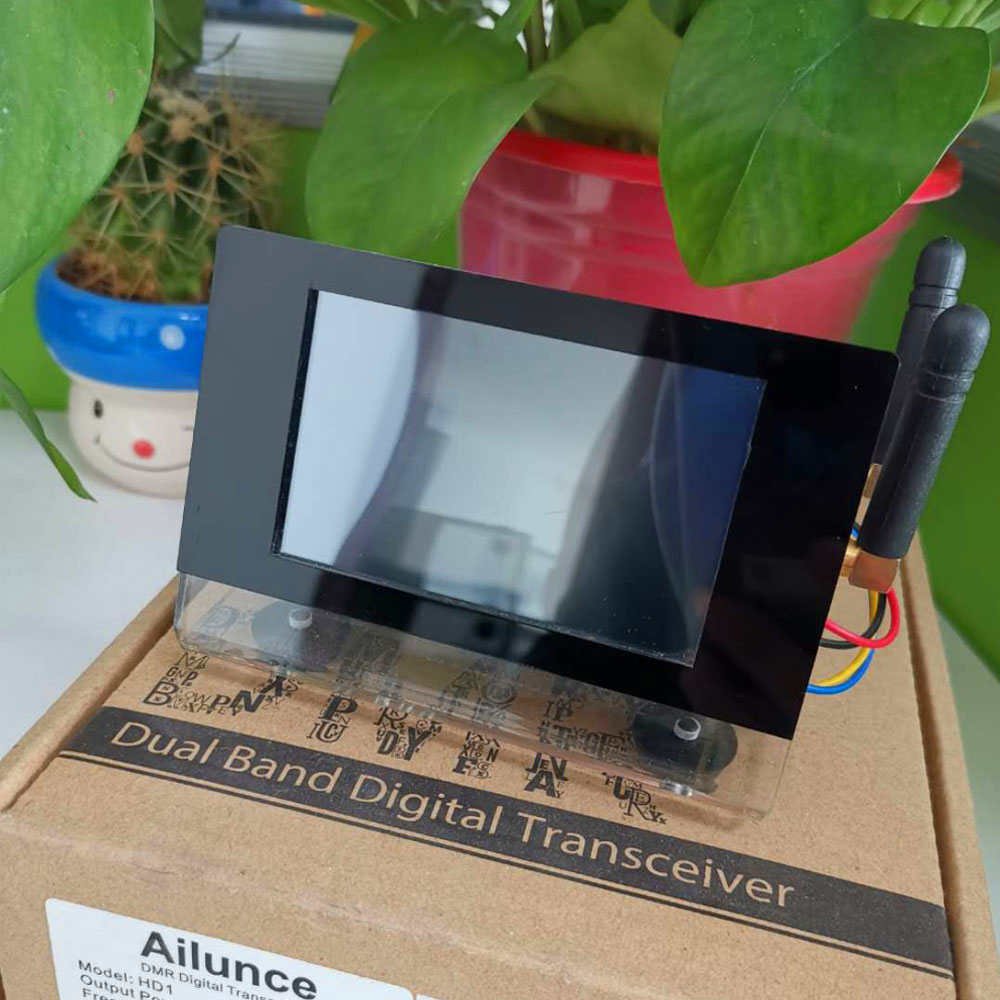
2.1.1 Duplex vs simplex — the load-bearing difference
A duplex MMDVM hat operates with two separate frequencies — a TX frequency and an RX frequency, typically split by 600 kHz on 2 m or 5 MHz on 70 cm (the standard amateur repeater offsets) — and two simultaneous radio paths, each with its own TCXO-disciplined synthesizer and its own SMA jack. The hat can transmit on one frequency while simultaneously receiving on another, which is what a real DMR repeater does: the input frequency is what radios transmit on, the output frequency is what the repeater transmits on, and the repeater listens-and-rebroadcasts continuously.
A simplex MMDVM hat operates on a single frequency — TX and RX use the same channel, and the hat time-multiplexes between transmitting and receiving rather than doing both at once. From the radio’s perspective the simplex hotspot looks like a “single-frequency repeater” or, more accurately, like another radio on the same frequency: the radio transmits, the simplex hat hears it, the simplex hat finishes its own receive and then transmits the network-routed response on the same frequency. This works fine for a single radio talking to a single talkgroup, but it cannot handle the case where two radios in range are both trying to use the hotspot, and it cannot properly serve both DMR Tier II timeslots simultaneously.
The duplex hotspot simulates a real DMR Tier II repeater much more faithfully. DMR Tier II uses two timeslots on a single 12.5 kHz channel, with the two slots interleaved on a 30 ms cycle (TDMA: slot 1 talks for 30 ms, slot 2 talks for 30 ms, slot 1 again, etc.). A duplex MMDVM hat can independently route traffic on slot 1 and slot 2 to two different network talkgroups, so a single hotspot transmission carries (for example) BrandMeister TG 3162 on slot 1 and TGIF TG 31 on slot 2 simultaneously, and the radio can hear both by listening on the right slot. A simplex hat doesn’t truly serve two slots — it transmits one slot at a time, so only one of the two network talkgroups is heard at any moment.
For this bench setup — DMR with the AnyTone D878 (Vol 8) as the only radio, occasionally bridging two networks at once across the two slots, sometimes using DMR Tier II’s slot 2 for a regional talkgroup while slot 1 carries a worldwide TG — the duplex hat is the right choice. The SkyBridge’s simplex hat is fine for the always-on home-base “one talkgroup at a time” use case; the DIY’s duplex hat is the better experimentation platform when slot routing matters.
The trade-off is two antennas and frequency coordination. Duplex operation needs a TX frequency and an RX frequency that are separated by enough offset to allow the antennas to isolate (5 MHz on 70 cm is the standard amateur repeater offset and is sufficient), and it needs two antennas physically separated enough not to desense each other. Simplex operation needs one frequency and one antenna. The duplex setup is more capable; the simplex setup is mechanically simpler.
2.1.2 Operating modes (the rest)
Every other modal capability is shared with the SkyBridge: DMR (Tier I direct, Tier II via the hotspot, all four major networks — BrandMeister, TGIF, W0CHP, and the FCS/XLX reflector ecosystem); D-STAR, YSF, P25, NXDN, M17 (all five other digital amateur modes supported in MMDVMHost firmware, each requiring the corresponding gateway daemon to be enabled and pointed at the right reflector); cross-mode bridges (DMR2YSF, DMR2NXDN, etc. — these let a DMR-only radio talk to a YSF reflector by keying a DMR talkgroup that DMRGateway cross-routes to a YSF gateway, a useful feature for the D878-only configuration). The deep treatment of every one of these modes is in Vol 21 §3 ↗ — reading the SkyBridge volume’s mode discussion applies here directly with the single substitution that this hotspot can run any of them in duplex when the mode supports duplex operation.
Bands: the MMDVM modem supports amateur 2 m (144-148 MHz) and amateur 70 cm (430-450 MHz), software-selectable per channel. 70 cm is the conventional choice for the same reasons covered in the SkyBridge volume (Vol 21 §3 ↗). For duplex operation, the standard amateur 70 cm repeater offset is 5 MHz (input at 442-445 MHz, output 5 MHz lower at 447-450 MHz, or vice versa); some regional repeater coordinators publish different splits in their “low-power simplex / hotspot allocation” plans, and the frequency selection should be coordinated against the regional repeater plan before committing (see Vol 4 (Frequency Planning)).
For the bridging-two-hotspots-in-the-same-house case (Vol 21 §6 Bridging ↗), the partitioning in this setup is: the SkyBridge handles one set of network talkgroups (typically BrandMeister) on one simplex 70 cm frequency, and the duplex DIY hotspot handles a different set (typically TGIF, or the cross-mode bridges, or both DMR slots) on its own TX/RX frequency pair that’s separated from the SkyBridge’s by at least 1-3 MHz to avoid desense. The radio’s codeplug carries one zone per hotspot.
2.2 Network use
The on-air experience of the DIY hotspot is functionally the same as the SkyBridge’s — same MMDVM stack, same network bridges, same talkgroup numbering, same etiquette. The deep treatment of talkgroup choice, talkgroup hygiene, and network selection is in Vol 21 §6 (Network use) ↗ and the load-bearing reference is Vol 2 (DMR Network Architecture). What’s specific to this hotspot is the duplex routing.
2.2.1 Duplex talkgroup routing
The duplex setup lets the two DMR slots route to different networks or different talkgroups within the same network independently. The configuration is in the WPSD dashboard’s DMR Configuration panel, which has separate static-talkgroup lists for Slot 1 and Slot 2. The two common partitionings:
- Slot 1 = one network, Slot 2 = another network. For example, Slot 1 carries BrandMeister statics (TG 3100, TG 3162, etc.) and Slot 2 carries TGIF statics (TGIF 31, TGIF 2, etc.). The radio’s codeplug carries one channel per (slot, talkgroup) tuple; switching between BrandMeister and TGIF is then a channel-knob action rather than a network-change action.
- Slot 1 = ragchew / general-traffic, Slot 2 = special-interest / event-specific. For example, Slot 1 carries the always-on TG 91 (Worldwide English) and TG 3162 (Michigan state), Slot 2 is dynamic-only and reserved for the per-event talkgroup the operator is following. This is the “high signal, separated by purpose” partitioning.
The duplex hotspot can serve both slots simultaneously, which is the qualitative difference from the simplex SkyBridge. If both slots have inbound traffic at the same moment, both slots transmit (on the same TX frequency, interleaved on the 30 ms TDMA cycle), and the radio decodes whichever slot its current channel is tuned to. This is how a real DMR Tier II repeater behaves.
2.2.2 Antenna pairing
For duplex operation, two antennas with enough physical separation to avoid desensing each other. The community convention:
- Two 70 cm rubber-duck whips or two short telescoping antennas, mounted on opposite sides of the enclosure (or front and back), with at least 6-12 inches of physical separation between them.
- At 10-20 mW TX power, the desense problem is manageable even with closely-spaced antennas; at higher TX power the isolation requirement gets stricter (and again, raising hotspot TX power is the wrong fix — see Vol 21 §6 (Antenna placement and RF posture) ↗).
- A 70 cm J-pole or Slim Jim on the TX side and a small rubber duck on the RX side is a workable asymmetric configuration for the case where the operator wants slightly better TX coverage; both directions limited by the same low TX power.
The cross-link for the deep treatment is Antennas Vol 29 (Use-case Matrix), which has per-radio antenna recommendations including the hotspot case (the “low-gain wins” argument applies here too — duplex doesn’t change the proximity-only RF posture, just the slot-routing capability).
The bench unit is a two-jack board (see §2). For comparison, a single-jack duplex hat with an internal duplexer makes the antenna picture simpler — one antenna, with the duplexer’s ~1 dB insertion loss on both TX and RX paths. Mechanically tidier; slightly worse RF performance.
2.2.3 Frequency coordination
Same frequency-coordination discipline as the SkyBridge (Vol 21 §7 ↗) plus an extra constraint for duplex operation. The TX and RX frequencies must both fall within the local repeater coordinator’s published low-power simplex / hotspot allocation, and they must be separated by a standard amateur repeater offset (5 MHz on 70 cm in the US is the convention). Picking a frequency pair that conflicts with a local repeater’s input or output on either of your two frequencies will desense the hotspot’s RX path in particular. The deep regulatory framing is in Vol 4 (Frequency Planning) and Antennas Vol 31 (Regulatory & RF Safety).
For two-hotspot operation (this hotspot plus the SkyBridge on the same shelf), the partitioning is the same as Vol 21 §6 (Bridging two hotspots) ↗: different RF frequencies, same colour code, the radio’s codeplug carries two zones (“HS-WPSD-Duplex” and “HS-SkyBridge”), and zone-knob switching moves between them. The duplex hotspot’s two frequencies need to clear the SkyBridge’s single frequency by at least 1-3 MHz to avoid desense; coordinate against the local repeater plan to find a triple-clear set of frequencies.
2.2.4 Radio-side configuration
The AnyTone D878 codeplug zone for this hotspot is structured the same way as the SkyBridge zone (Vol 8 §6 ↗, Vol 21 §6 ↗), with the duplex-specific addition that channels for slot-2 talkgroups go on slot 2 in the codeplug instead of slot 1. So the zone has, e.g., one channel for “BrandMeister TG 3100 on Slot 1,” one channel for “TGIF 31 on Slot 2,” each pointing at the same TX/RX frequency pair, each on colour code 1, each with the slot field set to the matching slot. The 878’s zone-knob switching plus channel-knob switching lets the operator pick (hotspot, talkgroup, slot) in two button presses.
The duplex routing can be tested with the D878’s promiscuous mode (Vol 8 §7 ↗) — set the radio to monitor both slots, key any talkgroup-bearing transmission, and watch the radio’s display report which talkgroup decoded on which slot. This is the diagnostic for verifying the dashboard’s slot-routing configuration matches the actual on-air routing.
2.2.5 Posture
The DIY hotspot is the experimentation platform. It runs alongside the SkyBridge on the same shelf, on the home Wi-Fi (or Ethernet, depending on Pi model), with whatever the current talkgroup partitioning is. Reboots happen more often than the SkyBridge — once a month or so for WPSD updates, occasionally for Nextion layout updates, sometimes after an SSH session experimenting with DMRGateway rules. Cycle time from cold boot to ready-to-bridge: ~90 seconds for a Pi 4B (faster than Pi Zero W’s ~3 minutes), similar to the SkyBridge.
The use cases that the DIY hotspot specifically serves:
- Try new talkgroups — subscribe dynamically, see what the traffic is like, decide whether to make it static.
- Test cross-mode bridges — set up DMR-to-YSF cross-mode and try keying a YSF reflector from the DMR-only D878.
- Customise Nextion screens — try a new HMI layout from WA6HXG’s repo, or edit the layout in the Editor and load a custom version.
- Run WPSD nightlies — chase upstream features (the W0CHP project ships new dashboard widgets and modem features regularly).
- Slot-2-routing experiments — try a different network on each slot, see what the operational experience is like, decide whether to keep it.
The contrast is that the SkyBridge is the always-on home-base hotspot that doesn’t get touched between firmware updates — same configuration for months at a stretch. The DIY hotspot is the one that gets reconfigured, tinkered with, occasionally rebooted, and kept current with upstream. Together they provide both the experimentation surface and the reliability floor.
Comments (0)