Midland WR120 · Volume 3
Midland WR120 — Vol 3: Memory & Setup
NOAA WX radio with Specific Area Message Encoding alerting
3.1 Programming workflow
All configuration is entered on-panel via the front-panel buttons and 4-line LCD. There is no PC programming, no CAT control, no app — but there is a radio-to-radio Cloning Port (see below). The WR120 is the simplest device in the lineup from a configuration standpoint — and the most opaque, since menu state is invisible until you walk through it.
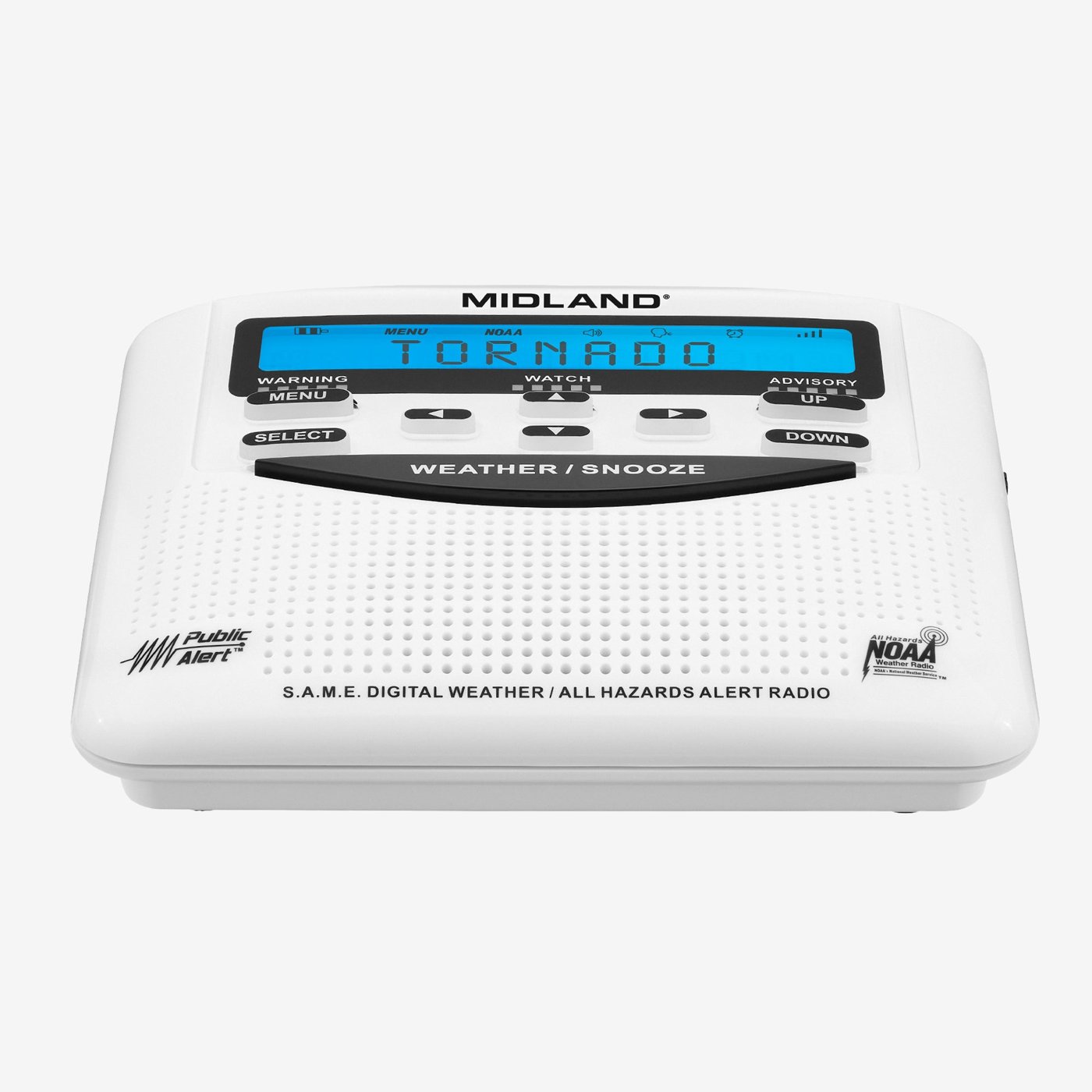
3.1.1 The four configuration steps
- Channel: MENU → Weather Scan walks WX1–WX7 and stops on the strongest. Confirm receivability with the LCD signal bars or by un-muting via WEATHER for a clean-audio check.
- FIPS code(s): MENU → FIPS / SAME Setup, select a slot (1 through 25), enter the 6-digit code via up/down arrow scrolling (not a true numeric keypad — 30–60 s per code). Repeat per county. Save. Codes are looked up at https://www.nws.noaa.gov/nwr/coverage/county_coverage.html: a leading “0” plus the 5-digit Census FIPS county code, e.g. Livingston County MI = Census FIPS 26093 → S.A.M.E. 026093. The leading “0” means “entire county”; “1” / “2” etc. are partial-county codes used only where NWS has explicitly subdivided coverage. For most users the “0” full-county code is what’s wanted.
- Event codes: MENU → Event Setup walks the ~80 codes one at a time; SELECT toggles enabled/disabled. Budget 10–15 minutes for the full walk on first setup. Most operators leave defaults alone on the first pass and only tune the filter after a few false-positives annoy them.
- Alert mode: MENU → Alert → siren / voice / both / display. The setting applies to all event codes uniformly — per-event-type alert behavior (e.g. siren for Tornado, voice-only for Severe Thunderstorm) isn’t supported. Pick the most-startling mode that’s tolerable for the room the radio lives in.
3.1.2 The sensitivity / channel-quality knob
Weather Scan picks the strongest channel automatically; no manual squelch knob (appliance convention). Marginal reception on the chosen channel (intermittent dropouts, hiss during un-muted listening) is remedied by repositioning (move 6–10 ft toward an exterior wall or away from RFI sources), extending the whip fully and re-scanning, or adding an external antenna (§6.2).
3.1.3 No PC programming exists — but radio-to-radio cloning does
Unlike every other receiver in this series (Unidens on ProScan/Sentinel/FreeScan, Baofengs and Yaesu on CHIRP, AnyTone on its vendor CPS), the WR120 has no host-side programming software, and it has no user-installable firmware: Midland’s WR120 help page offers only the owner’s manual, quick-start guide and SAME event list. Vol 3 (Programming Software Landscape) correctly has no entry for the WR120 — it would be an empty row, and the site’s download archive (https://radios.fubsypoly.com/downloads/) likewise holds nothing for it.
The front panel is not the only interface, however. The rear-panel Cloning Port copies a radio’s full configuration to another radio over a serial link. The WR120 manual labels the port but gives no cloning procedure; for the earlier WR-100, Steele County SKYWARN (2009) documents cloning with Midland cable S77100300 connected between the two radios’ jacks and the TO UNIT / SEND / LOAD menu steps. A 2017 reverse-engineering project (KR0SIV, Hackaday.io) measured the WR120’s cloning port as a roughly 1200-baud UART; the open-source backup/restore tool it planned was never published. For a household with several WR120s on the same FIPS list, cloning saves repeating the slow on-panel code entry.
3.2 Codeplug backups
There is no codeplug. Configuration lives in onboard NVRAM (LCD clock is RAM-backed by the AA cells; FIPS codes, channel, event filter, and alert mode are NVRAM-backed and persist through full battery removal). No file format, no PC tool, no export — the only copy mechanism is radio-to-radio cloning.
Backup discipline is therefore paper-based. Document the configuration in a short notes file or on a card kept with the radio. A reasonable template lists the channel + transmitter callsign, the per-county FIPS code with its label (home / work / parents / school / vacation), the event-filter state (typically: all Warnings + all Watches + RWT enabled, advisories per preference), and the alert mode (siren + voice is the default).
For most users the FIPS list is the only thing genuinely worth backing up. Channel selection is rediscoverable in 30 seconds via Weather Scan; the event filter and alert mode are configured once to defaults and rarely revisited. Without the paper backup, recovering the FIPS list means re-looking-up every county and re-walking the on-panel data-entry menu — annoying but tractable. A second, identically configured WR120 is also a working backup: its settings can be cloned back through the Cloning Port.
Comments (0)